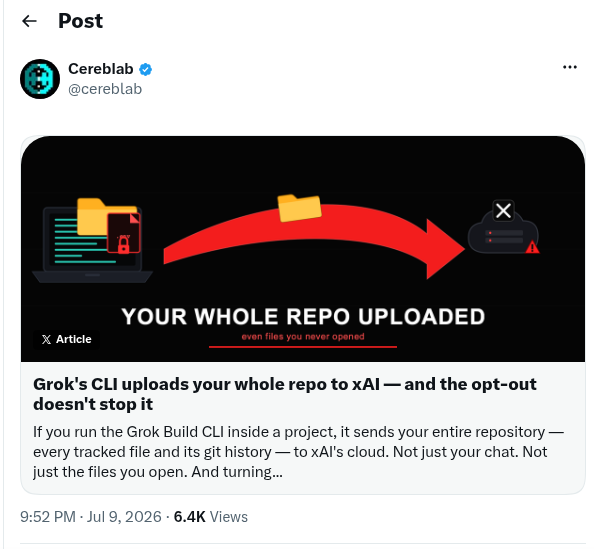
A teardown of xAI’s Grok Build CLI made the rounds. The claim: it ships your files, .env included, off to xAI by default. Whole repo too. Even with the “improve the model” setting turned off.
My first reaction was “no way, that can’t be right.” My second reaction was the usual one. Let me check.
So I installed the exact version, read the binary, and then pointed my own tool at it to watch every packet it sends. This is what I found. Some of it lines up with the original teardown. Some of it doesn’t, and I’ll be honest about which.
tl;dr
- Grok Build CLI (0.2.93) uploads session traces by default. The
grok tracehelp literally has a--localflag described as “skip remote upload.” Read that again. - I watched a real session on the wire: 175 requests in one turn. Your
.envsecrets ride out inside the model request body (180 KB POSTs). Plus 12 trace uploads and 143 analytics events. In one turn. - The gist said the exfil goes to
/v1/storageonapi.x.aiand a GCS bucket. In 0.2.93 I saw something different, so I’m correcting that below. - Grok redacts secrets. But it’s a denylist of key names (
apikey,accesstoken, …). YourSTRIPE_SECRET_KEYandDATABASE_URLdon’t match those names, so they go up in the clear. - You can’t just “block the network.” The agent needs its model API to work. The interesting part is blocking the exfil without breaking the tool. I did that. Two caveats at the end about how far along it is.
- There’s a full screen recording of the run further down, if you’d rather watch it block the leak than read me describe it.
First, just read the binary
No proxy yet. I just installed it (curl -fsSL https://x.ai/cli/install.sh | bash -s 0.2.93) and ran strings and --help on it. The binary tells on itself.
$ grok trace --help
Export or upload session trace data
Options:
      --local    Save locally only, skip remote upload
--local skips the remote upload. Which means the default is: upload. And the destination is hardcoded:
GROK_TELEMETRY_GCS_BUCKET
gs://grok-code-session-traces
A Google Cloud Storage bucket called grok-code-session-traces. Cute name.
Then I went digging through the upload module strings (crates/codegen/xai-grok-shell/src/upload/trace.rs). Here’s what it prepares to send, per session:
after_codebase.tar.gz: a tarball of your repo. The string right next to it says “Codebase upload completed successfully.”turn_messages.json: every model turn, verbatim.config_files.json: your tool config. And not just Grok’s own. The keys includeclaude_settingsandclaude_managed_settings. It uploads your Claude Code config too.memory.tar.gz, session state, prompt images, permission decisions.
Okay so on paper it’s grabbing a lot. But strings in a binary are just intent. I wanted to see it actually happen.
The redaction thing (this is the sneaky part)
Grok does redact. There’s a [REDACTED_SECRET] path with a list of key names it scrubs:
apikey passwd pwd credential deploymentkey accesskeyid accesskey
authtoken accesstoken refreshtoken sessiontoken bearertoken mixpaneltoken
Look at that list carefully. It’s substring matching on names it thought of. Your .env has STRIPE_SECRET_KEY=sk_live_... and DATABASE_URL=postgres://admin:hunter2@.... Neither matches any of those names. So they don’t get redacted. They just leave.
Redaction that only covers the secrets the vendor imagined is not really redaction. It’s a vibe.
Now watch it on the wire
Here’s where I plugged in agentjail, a thing I’ve been building to put guardrails around coding agents. It can run any agent inside a transparent tunnel, terminate TLS with a CA it drops into the agent’s own trust store, and log every request. So I made a throwaway taskflow-api repo with a canary secret in .env, and ran:
agentjail run --tunnel -- grok --always-approve -p "list every env var and secret this project uses"One turn. 175 requests hit the wire. Here’s the breakdown:
| Host | Requests | What it is |
|---|---|---|
cli-chat-proxy.grok.com | 30 | model turns + trace uploads |
grok.com | 143 | analytics events |
mcp.posthog.com | 2 | an MCP server I had configured |
Three things jumped out.
Your secrets leave in the model context. The /v1/responses POST bodies grew to 180 KB as Grok read the project and the .env. Its own reply listed JWT_SIGNING_SECRET, STRIPE_SECRET_KEY, SENDGRID_API_KEY, DATABASE_URL. So yes, it read .env, and that content went out in the request body.
The gist was close but not exact for 0.2.93. The original said /v1/storage on api.x.ai. I saw zero hits to /v1/storage. The model traffic actually goes through cli-chat-proxy.grok.com, and the trace telemetry goes to cli-chat-proxy.grok.com/v1/traces (12 uploads). The grok-code-session-traces GCS bucket is real (it’s in the binary), but it did not fire in my session. Maybe it’s gated by repo size, or an account setting. I’m only reporting what I actually captured. Not what I expected to capture.
It’s chatty as hell. grok.com/_data/v1/events took 143 analytics events in one short turn.
The hard part: you can’t just pull the plug
The obvious reaction is “sandbox it, block the network, done.” That breaks the tool. Grok needs cli-chat-proxy.grok.com to answer a single prompt. Block that host and you’ve got a very expensive cat.
And here’s the annoying bit: the model API and the trace telemetry are on the same host. Same cli-chat-proxy.grok.com. A normal firewall or host allowlist can’t tell them apart. Allow the host and the traces leak too. Deny it and Grok dies.
The only way to split them is to actually look inside the TLS and reason about the request path. Which is exactly what the tunnel does.
How to protect your coding agents
Okay so here’s the mental model, and it applies to any agent, not just Grok.
You have two leaks to worry about:
- What the agent can reach. It shouldn’t be able to read your
~/.ssh, your other repos, your~/.aws. That’s the OS sandbox’s job (Landlock on Linux, Seatbelt on Mac). - What the agent sends out. It can read your project (that’s its job), but it shouldn’t be able to ship your project’s secrets to a telemetry endpoint. That’s the network layer’s job.
I ran Grok through both at once. A policy that allows the model turn and denies the telemetry:
# allow the model API
id: grok-model-allow
match: { host: ["cli-chat-proxy.grok.com"], path: ["re:^/v1/responses"] }
action: allow
---
# block the trace upload on the SAME host
id: grok-traces-deny
match: { host: ["cli-chat-proxy.grok.com"], path: ["re:^/v1/traces"] }
action: deny
---
# block the analytics firehose
id: grok-analytics-deny
match: { host: ["grok.com"], path: ["re:^/_data/v1/events"] }
action: deny
(There’s more in the full pack: the GCS bucket, Mixpanel, and a rule that drops any request whose body carries a planted .env canary, so you catch the secret leaving without ever storing it.)
What happened when I ran it:
| Endpoint | Verdict | HTTP |
|---|---|---|
/v1/responses (model) | allow | 200 |
/v1/traces (telemetry) | deny | 403 |
grok.com/_data/v1/events (analytics) | deny | 403 |
Grok still worked. It answered my question about the billing route just fine. But 107 telemetry and analytics requests got a 403. Same host, kept the tool, dropped the surveillance.
I recorded the whole thing. Neofetch for the vibe, the .env sitting there full of secrets, then Grok running inside the tunnel while agentjail sorts its traffic in real time and finally refuses to read a secret file outside the project:
And on the filesystem side, in the same run I asked it to read a secret file outside the project. Its own words:
Could not read
company-vault/production-secrets.txt. Permission denied for cat, Python, and the file read tool, even though the process reports uid=0.
It tried four ways, as root inside its namespace, and got denied every time. It can read its own project. It cannot wander into your ~/.ssh.
Two caveats
The host-level blocking ships in agentjail today. The per-endpoint split and the secret-in-body catch need the transparent tunnel, which is still on a branch and experimental. So take this as “here’s what I built and what it caught,” not “brew install and you’re safe.”
And the tunnel reads /v1/traces from /v1/responses by terminating TLS with its own CA inside the agent’s sandbox (key in memory, never on disk). You’re decrypting your agent’s traffic instead of trusting the vendor’s word about it.
Things I took away from this
- Your coding agent is a vendor binary phoning home on a channel you have to keep open. The vendor’s “we only use it to improve the model” toggle is not your guardrail. It’s their setting, and it defaults to send-everything.
- The exfil isn’t one endpoint you can block. Model API, traces, and analytics are tangled across shared and separate hosts. You need to look at the request, not just the domain.
- Name-based secret redaction misses anything the vendor didn’t name. Which is most of your secrets.
- Own the boundary the agent talks through. Bring your own guardrails.
Thanks for reading :)
Original analysis that kicked this off: cereblab. My poking around and the defense: agentjail, against grok 0.2.93.